
How to Apply Vision Language Models to Long Documents
Learn how to apply powerful VLMs for long context document understanding tasks


Vision language models are powerful models that take images as inputs, instead of text like traditional LLMs. This opens up a lot of possibilities, considering we can directly process the contents of a document, instead of using OCR to extract text, and then feeding this text into an LLM.
In this article, I’ll discuss how you can apply vision language models (VLMs) for long context document understanding tasks. This means applying VLMs to either very long documents over 100 pages or very dense documents that contain a lot of information, such as drawings. I’ll discuss what to consider when applying VLMs, and what kind of tasks you can perform with them.
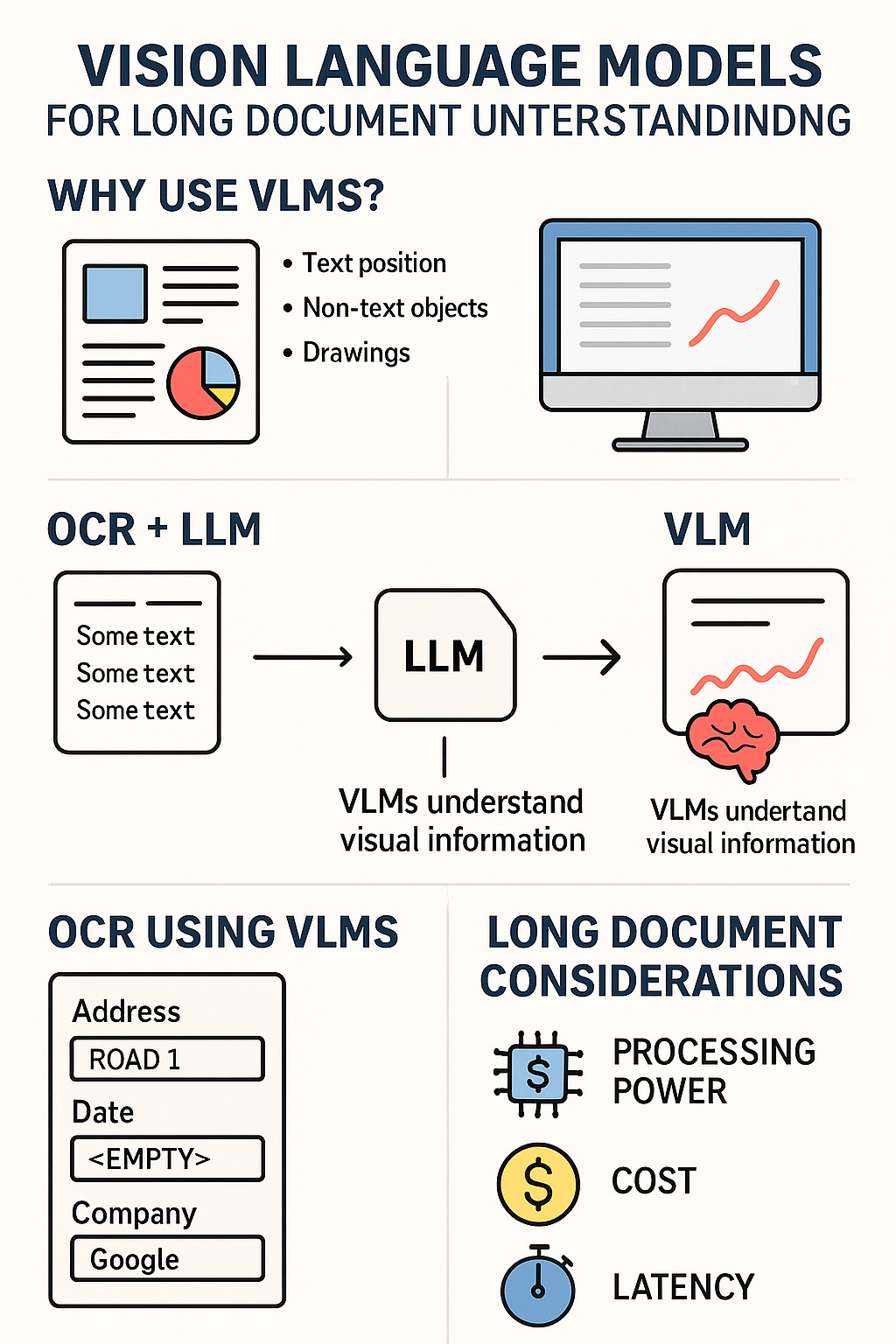
This infographic highlights the main contents of this article. I’ll cover why VLMs are so important and how to apply them to long documents. You can, for example, use VLMs for more advanced OCR, incorporating more of the document information into the extracted text. Furthermore, you can apply VLMs directly to the images of a document, though you have to consider the required processing power, cost, and latency—image by ChatGPT.
Get All My Books, One Button Away With 40% Off

I have created a bundle for my books and roadmaps, so you can buy everything with just one button and for 40% less than the original price. The bundle features 8 eBooks, including:
1. Why do we need VLMs?
I’ve discussed VLMs extensively in my previous articles and explained why they are crucial for understanding the contents of certain documents. The main reason VLMs are required is that a lot of information in documents requires visual input to understand.
The alternative to VLMs is to use OCR, and then use an LLM. The problem here is that you’re only extracting the text from the document, and not including the visual information, such as:
Where different text is positioned relative to other text
Non-text information (essentially everything that isn’t a letter, such as symbols or drawings)
Where text is positioned relative to other information
This information is often critical to really understand the document, and you’re thus often better off using VLMs directly, where you feed in the image directly, and can therefore also interpret the visual information.
For long documents, using VLMs is a challenge, considering you need a lot of tokens to represent visual information. Processing hundreds of pages is thus a big challenge. However, with a lot of recent advancements in VLM technology, the models have gotten better and better and compressing the visual information into reasonable context lengths, making it possible and usable to apply VLMs to long documents for document understanding tasks.
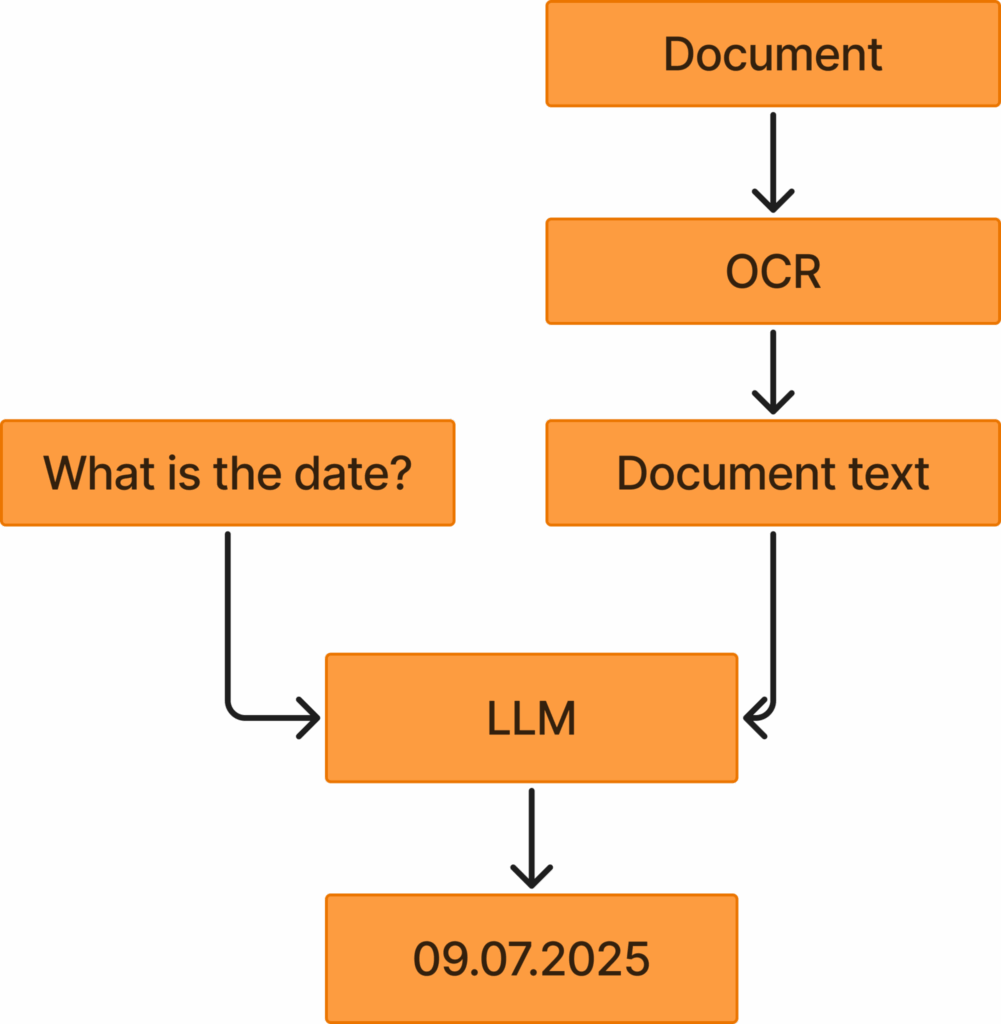
This figure highlights the OCR + LLM approach you can utilize. You take your document and apply OCR to get the document text. Then you feed this text, together with a user query, into an LLM, which responds with an answer to the question, given the document text. If you instead use VLMs, you can skip the OCR step completely and answer the user question directly from the document. Image by the author.
1.2. OCR using VLMs
One good option to process long documents and still include the visual information is to use VLMs to perform OCR. Traditional OCR, like Tesseract, only extracts the text directly from documents, together with the bounding box of the text. However, VLMs are also trained to perform OCR, and can perform more advanced text extraction, such as:
Extracting Markdown
Explaining purely visual information (i.e., if there’s a drawing, explain the drawing with text)
Adding missing information (i.e,. if there’s a box saying Date and a blank field after, you can tell the OCR to extract Date <empty>)
Recently, Deepseek released a powerful VLM-based OCR model, which has gotten a lot of attention and traction lately, making VLMs for OCR more popular.
1.3. Markdown
Markdown is very powerful because it extracts formatted text. This allows the model to:
Provide headers and subheaders
Represent tables accurately
Make bold text
This allows the model to extract more representative text, which will more accurately depict the text contents of the documents. If you now apply LLMs to this text, the LLMs will perform way better than if you applied them to a simple text extracted with traditional OCR.
LLMs perform better on formatted text like Markdown, than on pure text extracted using traditional OCR.
1.4. Explain visual information
Another thing you can use VLM OCR for is to explain visual information. For example, if you have a drawing with no text in it, traditional OCR would not extract any information, since it’s only trained to extract text characters. However, you can use VLMs to explain the visual contents of the image.
Imagine you have the following document:
This is the introduction text of the document
<image showing the Eiffel tower>
This is the conclusion of the document
If you applied traditional OCR like Tesseract, you would get the following output:
This is the introduction text of the document
This is the conclusion of the document
This is clearly an issue, since you’re not including information about the image showing the Eiffel Tower. Instead, you should use VLMs, which would output something like:
This is the introduction text of the document
<image>
This image depicts the Eiffel tower during the day
</image>
This is the conclusion of the document
If you used an LLM on the first text, it of course wouldn’t know the document contains an image of the Eiffel Tower. However, if you used an LLM on the second text extracted with a VLM, the LLM would naturally be better at responding to questions about the document.
1.5. Add missing information
You can also prompt VLMs to output contents if there is missing information. To understand this concept, look at the image below:
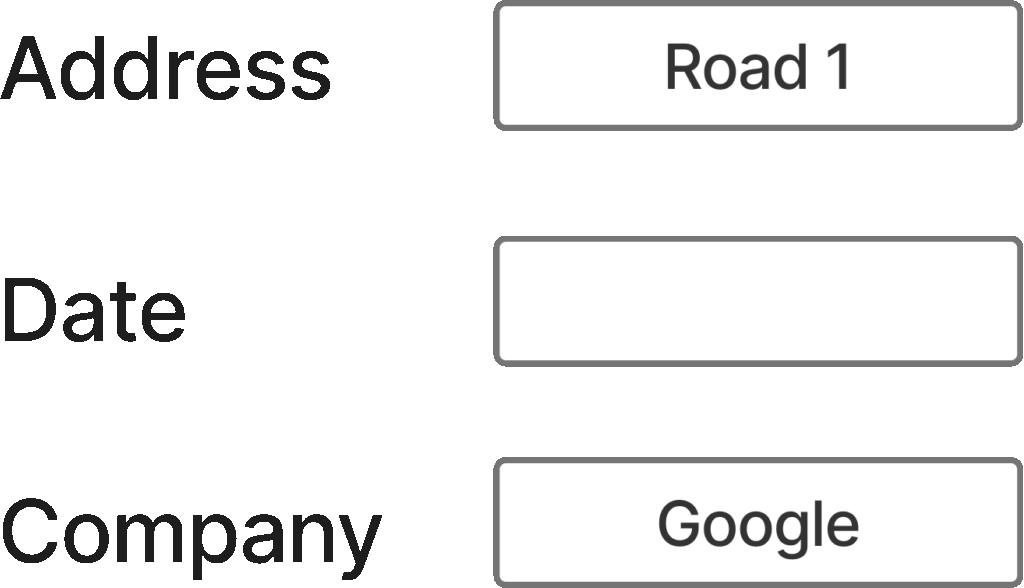
If you applied traditional OCR to this image, you would get:
Address Road 1
Date
Company Google
However, it would be more representative if you used VLMs, which, if instructed, could output:
Address Road 1
Date <empty>
Company Google
This is more informative because we’re informing any downstream model that the date field is empty. If we don’t provide this information, it’s impossible to know late if the date is simply missing, the OCR wasn’t able to extract it, or for any other reason.
However, OCR using VLMs still suffers from some of the issues that traditional OCR struggles with, because it’s not processing visual information directly. You’ve probably heard the saying that an image is worth a thousand words, which often holds true for processing visual information in documents. Yes, you can provide a text description of a drawing with a VLM as OCR, but this text will never be as descriptive as the drawing itself. Thus, I argue you’re in a lot of cases better off directly processing the documents using VLMs, as I’ll cover in the following sections.
2. Open source vs closed source models

 | A guest post by
|